


Basic Computer Course in Jalandhar – Course Overview
Introduction
In today’s fast-paced digital world, computer knowledge has become an essential skill for individuals across all age groups and professions. Whether it is education, business, government services, communication, or entertainment, computers play a vital role in almost every aspect of daily life. As technology continues to evolve, the demand for individuals who possess basic computer knowledge is increasing rapidly. A Basic Computer Course in Jalandhar is designed to provide students, beginners, and professionals with fundamental computer skills that are necessary to function effectively in a technology-driven environment.
Jalandhar is one of the most prominent educational and commercial cities in Punjab. With the growth of digital services, IT companies, educational institutions, and online businesses, the need for computer-literate individuals has significantly increased. Many students and job seekers in the city are now enrolling in basic computer courses to gain the foundational knowledge required for modern careers.
A basic computer course serves as the first step toward understanding how computers work and how they can be used to perform everyday tasks. This course introduces learners to computer fundamentals, operating systems, office applications, internet usage, and digital communication tools. It is designed for individuals who have little or no prior experience with computers and want to build a strong foundation in digital skills.
This course not only improves technical knowledge but also enhances productivity, confidence, and career opportunities. By learning how to operate computers efficiently, students can perform tasks faster, manage information effectively, and adapt to new technologies with ease.
Importance of Basic Computer Education
Computer literacy has become one of the most important skills in the modern world. Almost every industry now relies on computers for managing data, communicating with clients, creating documents, and running business operations. Without basic computer knowledge, it becomes difficult for individuals to keep up with the demands of the digital age.
One of the major reasons why basic computer education is important is that it helps individuals become digitally independent. Many daily activities such as paying bills, booking tickets, applying for jobs, and accessing government services are now done online. People who understand how to use computers and the internet can complete these tasks easily without relying on others.
For students, computer skills are necessary for academic success. Schools and colleges often require students to prepare assignments, presentations, and projects using computer applications. Research work, online learning platforms, and digital libraries also require computer knowledge.
For professionals, computer skills are equally important. Most office jobs require employees to work with documents, spreadsheets, emails, and databases. Basic computer training helps individuals develop these essential workplace skills.
Another important benefit of basic computer education is that it opens the door to advanced learning opportunities. Once students understand the fundamentals of computers, they can move on to specialized courses such as programming, graphic design, data analysis, digital marketing, web development, and many other IT-related fields.
Objectives of the Basic Computer Course
The main objective of a Basic Computer Course in Jalandhar is to equip learners with essential computer skills that can be used in everyday life, education, and professional environments. The course focuses on building confidence and familiarity with computers so that students can perform common tasks efficiently.
One of the key goals of the course is to help students understand the basic components of a computer system. This includes learning about hardware devices such as the keyboard, mouse, monitor, printer, and storage devices, as well as software applications that run on the computer.
Another objective is to teach students how to operate a computer using an operating system. Students learn how to start and shut down a computer, manage files and folders, install software, and customize system settings.
The course also aims to develop practical skills in using office applications such as word processors, spreadsheets, and presentation software. These tools are widely used in offices, schools, and businesses, making them essential for career development.
In addition, students learn how to use the internet for communication, information gathering, and online services. They also gain knowledge about safe internet practices, protecting personal data, and avoiding cyber threats.
By the end of the course, students should be able to use computers confidently and independently to complete a wide range of tasks.
Course Structure
The Basic Computer Course is structured in a way that gradually introduces learners to different aspects of computer technology. The curriculum typically includes both theoretical concepts and practical training to ensure that students gain hands-on experience.
The course usually begins with an introduction to computers and their components. Students learn about the history of computers, types of computers, and the role they play in modern society.
Once the basic concepts are understood, the course moves on to operating systems, where students learn how to interact with the computer interface and manage files and programs.
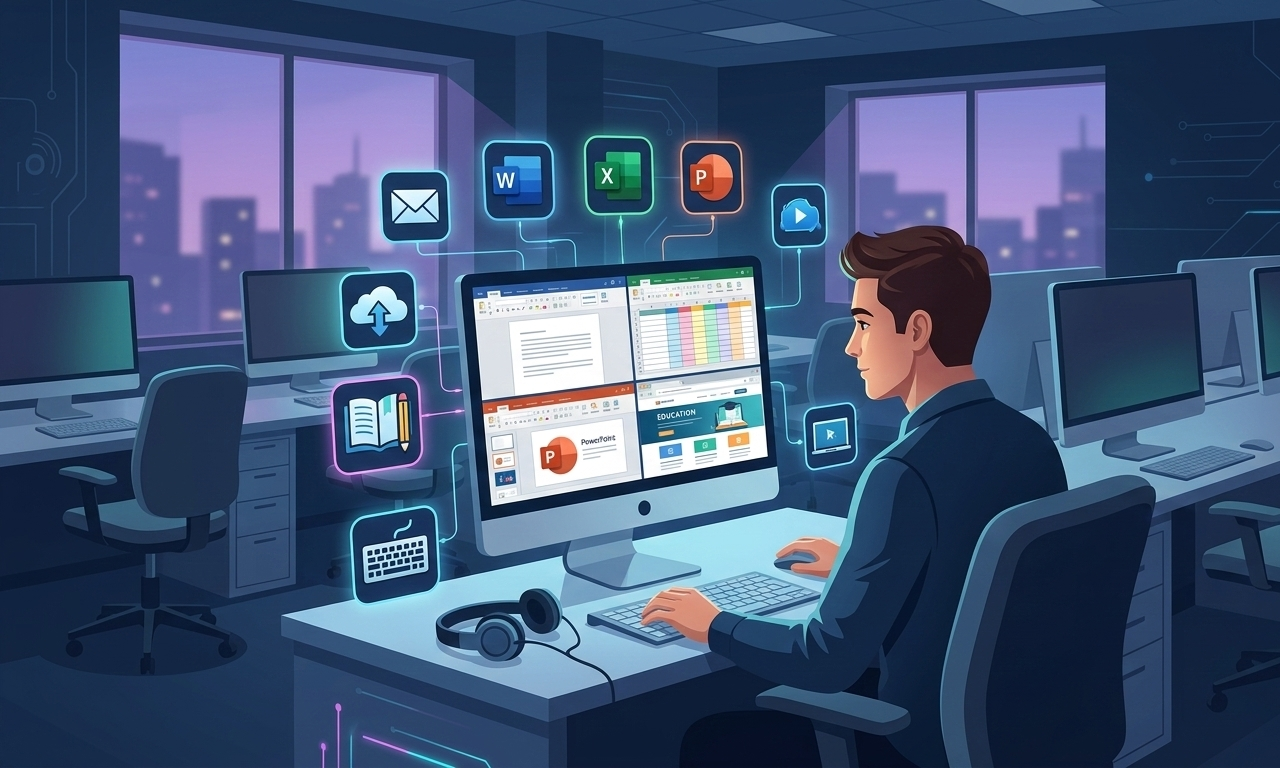
The next stage focuses on office productivity software such as word processing, spreadsheets, and presentations. These tools allow students to create professional documents, analyze data, and present information effectively.
The course also includes internet and email training, which helps students learn how to communicate digitally and access online resources.
Some training institutes also include modules on digital payments, online services, and basic troubleshooting techniques to make the course more practical and relevant.
Introduction to Computer Fundamentals
One of the first modules in the course focuses on computer fundamentals. This section helps students understand what a computer is and how it works.
Students learn that a computer is an electronic device that processes data and converts it into useful information. The computer performs tasks based on instructions provided by users through software programs.
The module also introduces the basic components of a computer system, including input devices, output devices, processing units, and storage devices.
Input devices such as keyboards, mice, and scanners allow users to enter data into the computer. Output devices such as monitors and printers display or produce the results of computer processing.
The central processing unit (CPU) is often referred to as the brain of the computer. It performs calculations and processes instructions to execute tasks.
Students also learn about different types of computers, including desktop computers, laptops, tablets, and smartphones. Understanding these fundamentals helps learners gain a clear picture of how computers operate.
Understanding Operating Systems
An operating system is the software that controls the functioning of a computer. It acts as a bridge between the user and the computer hardware.
In this module, students learn about common operating systems and how they manage computer resources. The course usually focuses on widely used operating systems such as Windows.
Students are taught how to navigate the desktop interface, open programs, manage windows, and use system tools. They also learn how to organize files and folders for easy access and storage.
Another important part of this module is learning how to install and uninstall software applications. This helps students customize their computers according to their needs.
Understanding operating systems is essential because it enables users to interact with computers efficiently and perform various tasks with ease.
Word Processing Skills
Word processing is one of the most commonly used computer skills in offices and educational institutions. This module focuses on teaching students how to create and edit documents using word processing software.
Students learn how to type and format text, change fonts and styles, and organize content into paragraphs and sections. They also learn how to insert tables, images, and other visual elements into documents.
Another important aspect of word processing is page formatting. Students learn how to set margins, adjust page layouts, and prepare documents for printing.
Word processing skills are essential for creating letters, reports, resumes, and academic assignments. Mastering these skills helps students present information in a professional and organized manner.
Spreadsheet Applications
Spreadsheets are powerful tools used for organizing and analyzing data. This module introduces students to spreadsheet software and its practical applications.
Students learn how to create spreadsheets, enter data, and format cells. They also learn how to perform calculations using formulas and functions.
Spreadsheets are commonly used in business and finance for tasks such as budgeting, accounting, and data analysis. Students also learn how to create charts and graphs to visually represent data.
Understanding spreadsheets improves problem-solving abilities and helps individuals make informed decisions based on data.
Presentation Skills
Presentation software allows users to create visual slides that support spoken presentations. This module teaches students how to design and deliver effective presentations.
Students learn how to create slides, add text and images, and use templates to improve the appearance of their presentations. They also learn how to add animations and transitions to make slides more engaging.
Presentation skills are valuable in academic settings, business meetings, seminars, and training sessions. Being able to communicate ideas clearly through presentations is an important professional skill.
Internet and Digital Communication
The internet is one of the most powerful tools available today. It provides access to information, communication platforms, and online services.
In this module, students learn how to use web browsers to search for information and access websites. They also learn how to create and manage email accounts for communication.
The course also introduces students to online tools such as cloud storage, video conferencing platforms, and digital collaboration tools.
Students are also taught about online safety, including protecting personal information and recognizing potential cyber threats.
Practical Training and Hands-On Learning
One of the most important aspects of the Basic Computer Course in Jalandhar is practical training. Students spend a significant portion of the course working directly on computers.
Hands-on practice helps learners become comfortable with computer applications and improves their confidence. Instead of only learning theoretical concepts, students actively perform tasks such as creating documents, designing presentations, and browsing the internet.
Practical training ensures that students are prepared to use computers effectively in real-world situations.
Career Opportunities After the Course
Although a basic computer course is an introductory program, it can still open the door to several entry-level job opportunities.
Students who complete the course can work in roles such as data entry operators, office assistants, computer operators, and administrative staff. These roles require individuals to handle digital documents, manage data, and communicate through emails.
Many small businesses also require employees who can manage computer systems, maintain digital records, and perform basic online tasks.
Additionally, students can continue their education by enrolling in advanced IT courses that lead to higher-paying career opportunities.
Who Should Enroll in This Course
A Basic Computer Course in Jalandhar is suitable for a wide range of individuals. School and college students can benefit from learning computer skills that support their academic work.
Job seekers who want to improve their employability can also enroll in the course to gain essential workplace skills.
Working professionals who want to upgrade their technical knowledge can use the course to enhance their productivity.
Small business owners can learn how to manage their operations using computers and digital tools.
Even individuals who simply want to learn how to use computers for personal purposes can join the course
Learning Environment and Training Facilities
A well-structured learning environment plays a crucial role in helping students understand computer concepts effectively. Most institutes offering a Basic Computer Course in Jalandhar focus on creating a practical and student-friendly environment where learners can easily grasp technical skills. Modern computer labs, experienced trainers, and updated learning materials make the training process more efficient and engaging.
Computer labs are usually equipped with the latest desktop systems, high-speed internet connectivity, and essential software applications. This allows students to practice every concept they learn during the class. Instead of only listening to theoretical explanations, learners get the opportunity to perform tasks directly on the computer.
The classroom environment is designed to encourage interactive learning. Trainers explain each concept step by step and guide students while they practice on the computer. Students can ask questions, solve practical exercises, and receive feedback from instructors. This approach helps learners gain a deeper understanding of computer operations.
In addition, many institutes provide project-based learning activities where students complete small assignments such as creating documents, preparing presentations, and organizing data in spreadsheets. These practical tasks simulate real-world work scenarios and prepare students for professional environments.
Skill Development Through Basic Computer Training
A basic computer course is not only about learning how to operate a computer; it is also about developing essential digital skills that are useful in everyday life and the workplace. The training program focuses on improving several key abilities that help individuals work efficiently in a digital environment.
One of the most important skills developed during the course is typing and document preparation. Students learn how to type quickly and accurately while creating professional documents such as letters, reports, and resumes. This skill is highly valuable for office jobs where employees need to prepare documentation regularly.
Another important skill is data management. Through spreadsheet training, students learn how to organize and analyze data effectively. They understand how to perform calculations, manage records, and create charts to visualize information.
The course also improves digital communication skills. Students learn how to send emails, attach documents, and communicate professionally through online platforms. This ability is essential in modern workplaces where communication often takes place through digital channels.
In addition to these technical skills, the course helps students develop problem-solving abilities. When learners work with computers, they often encounter small technical challenges. By learning how to troubleshoot common issues, students become more confident in handling technology.
Role of Computers in Modern Education
Computers have transformed the education system across the world. Schools, colleges, and training institutes now use digital tools to deliver knowledge and enhance learning experiences. A Basic Computer Course in Jalandhar helps students understand how to use these tools effectively.
Today, many educational institutions use online platforms to share study materials, assignments, and exam results. Students with computer knowledge can easily access these platforms and stay updated with their academic activities.
Computers also make research easier and faster. Instead of relying only on physical books, students can access a vast amount of information through online resources. Educational websites, digital libraries, and academic databases allow students to explore new topics and expand their knowledge.
Another advantage of computers in education is the use of multimedia learning tools. Videos, animations, and interactive simulations help students understand complex concepts more easily. Computer literacy enables students to take full advantage of these digital learning resources.
Online learning has also become increasingly popular in recent years. Many universities and training institutes offer online courses that allow students to learn from anywhere. Basic computer knowledge is essential for accessing these courses and participating in virtual classrooms.
Role of Computers in Business and Offices
Computers have become the backbone of modern businesses and organizations. From small local businesses to large multinational companies, computers are used for managing operations, storing information, and communicating with clients.
A Basic Computer Course in Jalandhar prepares students to work in office environments where computers are used daily. Employees with computer skills can perform tasks such as creating documents, maintaining records, preparing reports, and managing emails.
In many businesses, computers are also used for accounting and financial management. Spreadsheet software helps companies track expenses, calculate profits, and analyze financial data.
Communication within organizations has also become more efficient with the help of computers. Emails, video conferencing, and online collaboration tools allow employees to work together even if they are located in different places.
Customer service departments also rely on computers to maintain databases, track orders, and respond to customer inquiries. Employees who are comfortable using computers can handle these tasks more efficiently and contribute to the success of the organization.
Digital Awareness and Online Safety
As people spend more time online, understanding digital safety has become extremely important. A basic computer course not only teaches students how to use computers but also educates them about safe internet practices.
Students learn how to protect their personal information while using online platforms. They understand the importance of creating strong passwords and avoiding suspicious websites or links.
Another important aspect of online safety is recognizing cyber threats such as phishing emails, malware, and fraudulent websites. By learning about these risks, students can take precautions and avoid potential cyber attacks.
The course also emphasizes responsible digital behavior. Students are encouraged to use the internet ethically and respect privacy when sharing information online.
Developing digital awareness helps individuals use technology in a secure and responsible manner, which is essential in today’s connected world.
Importance of Continuous Learning in Technology
Technology is constantly evolving, and new tools and software are introduced regularly. Completing a basic computer course is only the beginning of a lifelong learning journey in the field of technology.
Once students understand the fundamentals of computers, they can explore advanced training programs that provide specialized skills. These may include courses in programming, graphic design, web development, digital marketing, data analysis, and many other areas.
Continuous learning helps individuals stay updated with the latest technological trends and improves their career prospects. Professionals who regularly upgrade their skills are more likely to succeed in competitive job markets.
Basic computer training builds the confidence needed to explore new technologies and adapt to changing digital environments. It encourages students to become independent learners who can discover new tools and applications on their own.
Contribution to Digital India
Computer education also plays an important role in supporting national initiatives such as digital transformation and technological development. As more services move online, citizens need basic digital skills to access these services effectively.
Government programs related to online documentation, digital payments, and e-governance require individuals to use computers and the internet. A Basic Computer Course in Jalandhar helps people participate in these digital services and become active members of the digital economy.
Digital literacy also promotes financial inclusion by enabling people to use online banking and electronic payment systems. Individuals who understand how to use digital tools can manage their finances more efficiently and securely.
By spreading computer education at the grassroots level, training institutes contribute to building a technologically skilled population that can support economic growth and innovation.