Call us
Cloud ComputingAI-Powered Curriculum

Best Cloud Computing Certificate Program in Jalandhar

Learn deploying and running infrastructure on AWS and Azure instead of a server in the office, taught on live client work at techcadd Jalandhar rather than from slides.

Talk to a counsellor
  • Live client projects
  • Practitioner trainers
  • Placement support
  • Certificate + internship
Duration
3, 6 or 9 Months
Mode
Classroom, Weekend & 1-on-1
Eligibility
12th Pass Onward
Includes
Internship Letter
Students trained
25,000+Students trainedsince 2007
Google rating
4.9★Google rating556+ reviews
Practical training
100%Practical traininglive client work
Overview

Course overview

Cloud computing turns infrastructure into a service. Instead of buying and maintaining every server, storage system and network device yourself, you provision computing resources on demand, scale them when workloads change, secure them through policy, automate them as code, and pay only for what you use. Four properties define it: on-demand provisioning, scalability up and down with demand, pay-as-you-go pricing, and high availability built on distributed infrastructure with backups and redundancy.

The work runs on a loop — plan the workload, provision the cloud resources, deploy the applications, then monitor and improve — and four capabilities make a cloud engineer: compute (EC2, containers and scalable workloads), network (VPC, subnets, routing and security), storage (S3, EBS, EFS and databases) and automation (Terraform, CI/CD and monitoring). The most important skill is knowing which service and architecture a problem actually needs. Not every application requires Kubernetes, multiple servers or a complex architecture; a simple one may need only a virtual machine, storage, a database and proper networking. Traditional infrastructure still wins where you need complete control over dedicated hardware, have predictable workloads or face specific compliance requirements.

The syllabus is 25 modules in a single numbered ladder with exit points at three, six and nine months, taught in Jalandhar. Module 01 begins with Linux administration, and Bash scripting, networking and Git follow from the ground up, so no coding background is assumed; from Module 05 onward every session runs on live AWS. Stage 1 covers IAM, VPC design, EC2 compute, storage and databases, scaling and high availability, ending in a complete multi-tier AWS capstone. Stage 2 adds serverless and event-driven AWS, security engineering and disaster recovery, AI and generative-AI services on AWS, Docker, Kubernetes, Jenkins, Terraform, observability and AI model deployment. Stage 3 is a structured twelve-week extension that deepens the same domains: architecture and resilience engineering, security and compliance, production AI service engineering, Kubernetes operations at scale, GitOps automation, site reliability with cost optimisation, and MLOps with a final expert capstone.

Cloud teams need people who can move from Linux, scripting and networking fundamentals through AWS infrastructure, deployment, security, containers, automation, monitoring and production troubleshooting — and prove it with work they have actually built. That is why labs, projects, practical assessments, documentation, interview preparation and the final certification are built into every stage: a learner leaves each track with artefacts that can be opened and defended, not only a certificate.

techcadd's Cloud Computing Certificate Program in Jalandhar is built for graduates, system administrators and developers moving into infrastructure work. It opens with cloud models, regions and how pricing actually works, then goes deep on the AWS core services: EC2, S3, VPC and IAM. Azure fundamentals are covered alongside, so you can read either platform. Linux administration gets its own module, since it sits under nearly everything else here. You then move into Docker containers and images, the basics of Kubernetes orchestration, and building CI/CD pipelines with Jenkins and Git. Terraform introduces infrastructure as code, and the final modules cover monitoring, logging and cost control, which is what separates someone who can launch a server from someone a company will trust with an account. Labs run on real cloud accounts under trainer supervision. You finish with deployed infrastructure you can walk through, CV preparation and interview practice.

techcadd team with Alpine Girl's (AIIT) College faculty after the talk
AI-Powered Curriculum

Industry-Ready Training in Cloud Computing

What you get
  • 100% practical, project-based learning
  • AI tools integrated into every module
  • Live client projects under trainer supervision
  • Internship letter and placement support
  • Small batches with daily doubt clearing
25K+Students
4.9★Google Rating
2007Estd.
100%Practical
Eligibility

Who can dothis course

The Cloud Computing programme is built for people at six different starting points, and the batch is deliberately mixed. What matters far more than your background is turning up consistently and finishing what each module asks you to build.

01

Students after 12th

Join from any stream. You start from fundamentals with no assumed knowledge, and most students run the programme alongside a degree at a Jalandhar college using the weekday or weekend batch.

02

Graduates and final-year students

If you are finishing a BA, BBA, B.Com, BCA or B.Tech, this is the shortest route from degree to salary. Enter placement season with project work in hand instead of a blank CV.

03

Working professionals

The weekend batch exists for people already earning. Career switchers typically become interview-ready for Cloud Engineer roles within five to six months without leaving their current job.

04

Business owners and freelancers

Owners take this programme to stop outsourcing work they cannot judge. Freelancers take it to bill clients beyond Punjab, since location does not limit remote work in this field.

05

Career restarters

A gap on the CV counts for less than work you can point at. The programme starts at zero and finishes with a portfolio and a documented internship letter, which is what an interviewer asks about after a break.

06

Self-taught learners

If free videos left you with notes but nothing built, what changes here is a trainer who reviews what you produced this week and a deadline attached to every module.

The case for it

Why this programmeis worth your year

Demand

Cloud and DevOps skills are the clearest salary jump available to a working IT professional in Punjab. That gap is the whole argument for this programme: there is local demand, there are budgets, and there are very few trained people to hand the work to.

Method

What separates this from a playlist of tutorials is supervision on real work. From the second half of the programme you build on live client projects with a trainer beside you, make decisions that have consequences, and correct them the following week. That loop is the skill. No employer in Jalandhar will take your word for it without work they can inspect.

Earnings

Be realistic about the money. A fresher who finishes with a working portfolio typically starts around ₹22,000 – ₹40,000 a month locally, and moves up quickly with experience. Roles include Cloud Engineer, DevOps Engineer, System Administrator, Cloud Support Associate. The ceiling is high, but it is earned. Nobody pays a beginner well for a certificate alone.

The alternative

The alternative is what most people try first: free videos, a cheap online course, six months of drifting, and knowledge you cannot demonstrate. A structured programme with live projects, a mentor who corrects you, an internship letter and a placement cell that actually calls employers is the difference between knowing the subject and being hired to do it.

Access

Students reach the Jalandhar centre from Model Town, Urban Estate, Adarsh Nagar, Basti Bawa Khel and Rama Mandi, with weekend students travelling in from Phagwara, Kapurthala, Nakodar, Hoshiarpur and Adampur. Whether you have just finished 12th, are completing a degree at a local college, or are switching from a non-technical job, the programme starts at zero, which is why weekday, evening, weekend and 1-on-1 timings all exist rather than a single fixed slot, with every class running two hours.

techcadd team with Alpine Girl's (AIIT) College faculty after the talk
SyllabusHands-on

What you will
actually build

The syllabus runs as a single ladder of 25 topics with three exit points: the six-month Professional track continues exactly where the three-month Practitioner track ends, and the nine-month Expert track continues where the Professional track ends. Month 1 begins with Linux administration, Bash scripting, networking and Git from the ground up, so no coding background is assumed; from topic 05 onward every session runs on live AWS. Every topic is specified the same way — the subject matter, the named tool stack used in labs, the production problem the skill solves, and a practical artefact for your portfolio — and you advance when a deliverable passes review rather than when the calendar says so.

Cloud Computing01/03

Foundation: Linux, Networking, Git & Core AWS (Topics 1–10)

  • Linux Administration & File Systems
  • Bash Scripting & Server Automation
  • Computer Networking & Protocols
  • Git, GitHub & Version Control Workflow
  • Cloud Fundamentals & AWS Global Infrastructure
  • AWS IAM & Account Security
  • VPC, Subnetting & Cloud Network Design
  • EC2 Compute & Web Server Hosting
  • Storage, Databases & the Data Layer
  • Scaling, Architecture & AWS Capstone
The toolchain behind the craft

One course.A mesh of real tools.

Everything below is installed on the lab machines and used on live client work, not shown once in a slide and forgotten.

Linux
Bash
Git
GitHubGitHub
GitHub Actions
AWS
Amazon EC2
Amazon S3
Amazon RDS
DynamoDB
Amazon VPC
AWS IAM
CloudWatch
CloudFormation
AWS Lambda
Route 53
Docker
Kubernetes
Amazon EKS
Helm
Jenkins
Terraform
Ansible
SonarQube
Prometheus
Grafana
Elasticsearch
Amazon Bedrock
SageMaker
Python
FastAPI
Streamlit
Wireshark
NGINX
Certification

Get Certified in
Cloud Computing

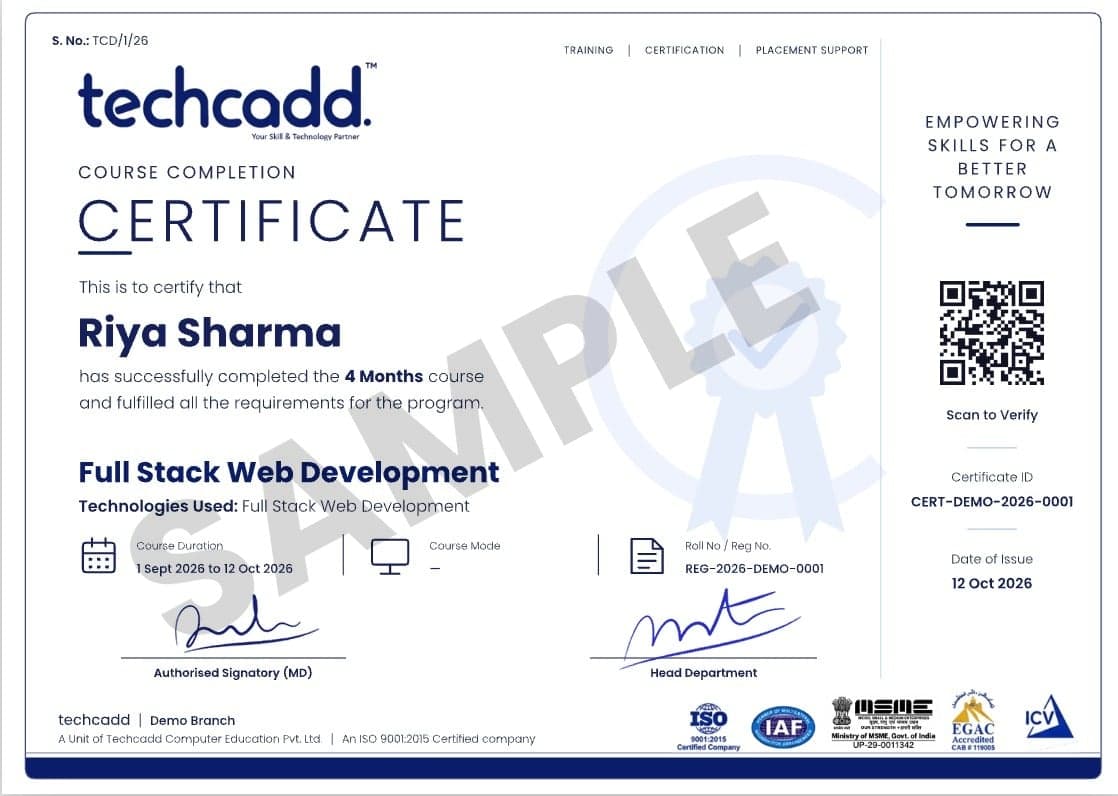
Complete the course with a portfolio of live projects and receive an industry-recognised certificate, plus a documented internship letter accepted by Punjab universities.

Industry CertificateRecognised by employers across Punjab and beyond
Internship LetterBased on real client work, not a simulation
Portfolio of ProjectsLive work you can show in any interview
Placement SupportCV review, mock interviews and hiring drives
techcaddComputer Education · JalandharCertificateof Project ExcellenceThis is to certify thatStudent Name

has designed, built and deployed a live capstone project in Cloud Computing, reviewed and graded under industry mentorship.

Course Director
Centre Head
Cert. no. TC/PRJ/2026/4187 · verify at techcaddjalandhar.com
techcaddComputer Education · JalandharCertificateof Course CompletionThis is to certify thatStudent Name

has successfully completed the professional training programme in Cloud Computing with a grade of A+.

Course Director
Centre Head
Cert. no. TC/CRS/2026/1930 · verify at techcaddjalandhar.com

Two certificates on completion — the course certificate and a separate capstone project certificate.

Future scope

Where this coursetakes you

The roles this opens, what they pay in Punjab and beyond, and who is hiring for them — the same figures our free Salary Estimator publishes, not a brochure number.

Salary outlook

Cloud / DevOps Engineer

Manages cloud infrastructure, CI/CD pipelines, and container orchestration.

Starting package
2.85LPA
After 2 years
5.510LPA
Punjab / Tricity
Fresher2.85 LPA
After 2 years5.510 LPA
Delhi NCR
Fresher3.57 LPA
After 2 years816 LPA
Remote / Freelance
Fresher48 LPA
After 2 years920 LPA

Indicative ranges for Cloud / DevOps Engineer roles, compiled from public job-market listings and drawn on the same scale in every market. Actual offers vary by employer, skillset and interview performance — Punjab pay typically reaches 2× the fresher ceiling within two years of delivery experience.

Open the salary estimator

Where Cloud / DevOps Engineer graduates get hired

  • Cloud service providers and partners
  • IT services companies with cloud practices
  • Startup infrastructure and platform teams
  • Remote DevOps and SRE contracts
01

What does a Cloud Support Engineer or trainee interview test?

The entry-level role Stage 1 prepares you for, at three months. It tests whether you can administer Linux, script routine tasks, reason about networks and configure AWS IAM, VPC and EC2. What you show them: the Linux and Bash toolkit, the networking practical and your first AWS deployment.

02

What does a Cloud Engineer interview test?

The early-career role reached between three and six months. It tests whether you can deploy AWS workloads with storage, databases, scaling, monitoring and a secure multi-tier architecture. What you show them: the EC2, S3 and RDS application, the ALB and Auto Scaling build, and CloudWatch dashboards.

03

What does a DevOps Engineer interview test?

The early-career DevOps route, reached at six months. It tests whether you can containerise applications and automate delivery with Jenkins, Docker, Kubernetes and Terraform. What you show them: the CI/CD pipeline, the Kubernetes application and the infrastructure-as-code repository.

04

What does a Cloud Automation Engineer interview test?

The advanced role reached between six and nine months. It tests whether you can combine infrastructure automation, monitoring, security and operational workflow into one repeatable delivery system. What you show them: the modular Terraform estate, the CI/CD pipeline, the observability stack and the security report.

05

What does an AWS or Cloud DevOps Engineer interview test at senior level?

The expert-track role at nine months. It tests whether you can review architectures, harden AWS estates, run production Kubernetes, control cost and lead a full MLOps capstone. What you show them: the architecture review pack, the MLOps deployment and the expert capstone.

06

What job roles open up after Cloud Computing?

Graduates move into Cloud Engineer, DevOps Engineer, System Administrator, Cloud Support Associate and similar roles. Cloud and DevOps skills are the clearest salary jump available to a working IT professional in Punjab.

07

What can I earn, and how fast does it grow?

A fresher with a working portfolio starts around ₹22,000 – ₹40,000 a month in the Jalandhar market. With two years of delivery experience that typically doubles, and specialists who keep learning move well beyond it.

08

Can I freelance or work remotely with this skill?

Yes. A Jalandhar address costs you nothing on a remote brief. Students bill clients in Delhi, Dubai and Canada. The programme covers client handling, proposals and reporting so you can price and defend your work, not just do it.

09

Which industries hire for this in Punjab?

Beyond IT companies, the export houses, sports goods and hand tool manufacturers, immigration consultancies, hospitals, schools and real estate firms across Jalandhar all now hire for these skills directly.

10

Can I continue to higher studies or a specialisation later?

The certificate and portfolio stand on their own, and they stack. Most students move on to an adjacent techcadd track. The tools overlap, so the second programme is faster than the first.

Portfolio

Hands-on projectsyou will ship

Project 01

Linux & Bash Automation Toolkit

Backup, log-parsing and health-check scripts scheduled with cron and version-controlled in Git.

Stage 1LinuxBashcron
Project 02

Secure AWS Network

A multi-AZ VPC with public and private subnets, NAT gateway, bastion access and flow logs.

Stage 1VPCNATSecurity Groups
Project 03

AWS Web Application

An EC2, VPC, S3 and RDS deployment with Route 53 DNS and CloudWatch monitoring.

Stage 1EC2RDSRoute 53
Project 04

Scalable Cloud Architecture

A multi-tier architecture using ALB, Auto Scaling, private subnets and security controls.

Stage 1ALBAuto ScalingIAM
Project 05

Event-Driven Serverless Workflow

Lambda, EventBridge, SNS and SQS defined and deployed through CloudFormation.

Stage 2LambdaEventBridgeCloudFormation
Project 06

AI Cloud Chatbot

An AI-powered chatbot built on Amazon Bedrock with Python, Streamlit and S3 storage.

Stage 2BedrockStreamlitS3
Project 07

Containerized Application

A Dockerised application packaged with Compose and deployed onto Kubernetes with Helm.

Stage 2DockerKubernetesHelm
Project 08

Automated CI/CD Pipeline

A GitHub-to-Jenkins pipeline with quality gates, image scanning and Kubernetes deployment.

Stage 2JenkinsSonarQubeTrivy
Project 09

Infrastructure as Code

A reusable Terraform configuration for AWS infrastructure with remote state and locking.

Stage 2TerraformAWSGitHub
Project 10

Cloud Operations Platform

An observable environment with SLO dashboards, log aggregation, alert routing and a postmortem.

Stage 3PrometheusGrafanaLoki
Project 11

Security & Recovery Review

A hardened AWS estate with least-privilege policies, an audit trail and a tested recovery runbook.

Stage 3IAMKMSGuardDuty
Project 12

MLOps Deployment

A containerised AI service released through CI/CD with a model registry and drift monitoring.

Stage 3FastAPIDockerKubernetes
The working loop

Learn it. Build it. Make it yours.

Every project moves through the same loop: understand the brief, build with guidance, then explain the decisions behind your work.

01

Understand

Break a real requirement into a clear plan and the right tools.

Linux & Bash Automation Toolkit
02

Build

Work hands-on with trainer feedback while the decisions are still easy to change.

Secure AWS Network
03

Present

Turn the finished work into a portfolio story you can defend in an interview.

AWS Web Application
Why techcadd

Why students choosetechcadd

There are many places to learn this in Jalandhar and the brochure syllabus looks similar at all of them. What differs is who teaches, whether you ever touch real work, and whether anyone picks up the phone after you have paid. techcadd has trained students across Punjab since 2007 on the same model: small batches, working practitioners as trainers, client projects as coursework.

Trainers who still do the work

Your trainer is not a full-time lecturer. They deliver client projects for techcadd's services arm, so examples in class are current rather than a case study from five years ago.

Live projects, real consequences

You work on genuine client requirements under supervision. This is where a portfolio comes from, and it is the first thing an interviewer asks to see.

Small batches and open lab hours

Batches stay small enough that a trainer sees your screen daily. Lab time runs outside class hours and doubt sessions continue until the concept lands.

Internship letter and certificate

Every student finishes with an industry-recognised certificate and a documented internship on real work, accepted for university industrial training requirements.

A placement cell that persists

Mock interviews, CV reviews and drives with hiring partners across Jalandhar and Ludhiana, repeated after a rejection, not abandoned.

Since 2007, 25,000+ students

Nearly two decades of hiring relationships in Punjab is why a call from our placement cell gets answered and why local employers know what our certificate means.

Compare

How techcaddcompares

Cloud courses are easy to advertise and hard to deliver, because they cost the provider money to run. These are the eight things worth asking before you pay any institute, including this one.

The Cloud Computing course at techcadd compared with what institutes commonly offer
FeaturetechcaddOther institutes
CurriculumIndustry-aligned, updated regularlyOften outdated or generic
Learning style100% hands-on, project-basedMostly theory-heavy
TrainersIndustry-experienced mentors who still deliver client workMixed experience levels
Real projectsMultiple real-world projects plus a capstoneLimited or simulated projects
Cloud accountsYou provision real AWS and Azure resources in your own account, with billing guardrails set up on day oneScreenshots and simulator walkthroughs
Placement supportDedicated career and interview preparationOften limited or absent
Batch flexibilityWeekday, evening, weekend and 1-on-1 optionsFixed schedules
Doubt supportOngoing mentor and community supportLimited post-class support
CertificationIndustry-recognised certificate plus a documented internship letterVaries

The right-hand column describes what is commonly offered in the market, not any particular institute. Ask any institute you are considering — this one included — to show you the work its students actually produced.

Principles

What you are reallybeing taught

Services get renamed and consoles get redesigned. These ideas do not — they are what you are really being taught, and what a strong candidate can articulate under questioning.

01

Build from fundamentals

Linux, scripting, networking and cloud concepts make every AWS service easier to reason about. The console is a shortcut over things you should already understand.

02

Automate repeatable work

Bash, GitHub Actions, Jenkins, Ansible and Terraform turn manual steps into controlled, reviewable workflows. Anything done twice by hand is a script that has not been written yet.

03

Design for failure

High availability, Auto Scaling, monitoring, backups and disaster recovery belong in the architecture, not in the postmortem.

04

Secure by default

IAM, MFA, least privilege, encryption, KMS, WAF and secrets management are part of engineering, not an afterthought bolted on before an audit.

05

Observe what you operate

Prometheus, Grafana, Loki, ELK, CloudWatch and Alertmanager make system behaviour visible before users report it.

06

Prove the result

Projects, practical labs, documentation, viva, mock interviews and final presentations turn learning into evidence somebody else can check.

Student reviews

What our studentsin Jalandhar say

  • Google
    techcadd's placement cell kept calling me for drives until I was placed. That persistence mattered more than the certificate for Cloud Computing.
    Rohit SharmaJunior Analyst · Phagwara
    Google
    I was switching careers and worried I would be behind. Half the Cloud Computing batch were doing the same thing, and nobody made me feel slow.
    Simranjeet SinghFreelancer · Kapurthala
    Google
    I joined the Cloud Computing batch with almost no background and finished with a project I could actually show. The trainers correct your work daily rather than just moving to the next slide.
    Anjali VermaCareer Switcher · Jalandhar Cantt
    Google
    techcadd's placement cell kept calling me for drives until I was placed. That persistence mattered more than the certificate for Cloud Computing.
    Rohit SharmaJunior Analyst · Phagwara
    Google
    I was switching careers and worried I would be behind. Half the Cloud Computing batch were doing the same thing, and nobody made me feel slow.
    Simranjeet SinghFreelancer · Kapurthala
    Google
    I joined the Cloud Computing batch with almost no background and finished with a project I could actually show. The trainers correct your work daily rather than just moving to the next slide.
    Anjali VermaCareer Switcher · Jalandhar Cantt
  • Google
    What made Cloud Computing click for me was the lab time. You can sit after class and someone will still explain it until you get it.
    Gurpreet DhillonWorking Professional · Nakodar
    Google
    The Cloud Computing programme got me interview-ready faster than I expected. My interviewer asked to see my project and that was the whole conversation.
    Manpreet KaurFinal-Year Student · Hoshiarpur
    Google
    I travelled in for the weekend Cloud Computing batch and it was worth every trip. Small batch, real work, no time wasted on theory nobody uses.
    Vikas ChopraWeekend Batch · Ludhiana
    Google
    What made Cloud Computing click for me was the lab time. You can sit after class and someone will still explain it until you get it.
    Gurpreet DhillonWorking Professional · Nakodar
    Google
    The Cloud Computing programme got me interview-ready faster than I expected. My interviewer asked to see my project and that was the whole conversation.
    Manpreet KaurFinal-Year Student · Hoshiarpur
    Google
    I travelled in for the weekend Cloud Computing batch and it was worth every trip. Small batch, real work, no time wasted on theory nobody uses.
    Vikas ChopraWeekend Batch · Ludhiana
Got questions?

Frequently Asked Questions

Cloud computing turns infrastructure into a service. Instead of buying and maintaining every server, storage system and network device yourself, you provision computing resources on demand, scale them when workloads change, secure them through policy, automate them as code, and pay only for what you use. Four properties define it: on-demand provisioning, scalability up and down with demand, pay-as-you-go pricing, and high availability built on distributed infrastructure.

With traditional infrastructure you manage the hardware: you buy servers, configure, deploy and maintain them, capacity is fixed, the investment is up front, and scaling means purchasing more machines. In the cloud you manage the resources: services are provisioned within minutes, scale to demand, are billed on usage, and arrive with availability and redundancy options built in. Traditional infrastructure is the better answer when you need complete control over dedicated hardware, have predictable workloads or face specific compliance requirements; the cloud wins when you need flexibility, rapid deployment and the ability to adapt as requirements change.

There are three exit points on one 25-module ladder: 3 months (Practitioner, Modules 1–10), 6 months (Professional, Modules 11–18) and 9 months (Expert, Modules 19–25). They are nested rather than parallel — the six-month track is those first ten modules plus eight professional ones covering DevOps, AI and automation, and the nine-month track is all eighteen plus a seven-module expert extension that deepens the same domains rather than replacing them.

No. Module 01 begins with Linux administration, and Bash scripting, networking and Git follow, all taught from the ground up, so the programme is open to career changers and graduates with no coding background. From Module 05 onward every session runs on live AWS.

Linux, Bash, Git and GitHub for the foundation; AWS IAM, VPC, EC2, S3, EBS, EFS, RDS, DynamoDB, ALB, Auto Scaling, Route 53 and CloudWatch for core infrastructure; Lambda, API Gateway, EventBridge, SNS, SQS, Step Functions and CloudFormation for serverless; KMS, Secrets Manager, ACM, WAF, Shield, GuardDuty and Security Hub for security; Docker, Amazon ECR, Kubernetes, EKS and Helm for containers; Jenkins, GitHub Actions, SonarQube, Trivy and Terraform for delivery; Prometheus, Grafana, Alertmanager, Loki and ELK for observability; and Amazon Bedrock, SageMaker, Rekognition, Textract, Comprehend, Polly, Transcribe, Lex and boto3 for AI services.

Twelve portfolio projects across the three stages. Stage 1 produces a Linux and Bash automation toolkit, a secure multi-AZ AWS network, an EC2-RDS-S3 web application and a scalable multi-tier architecture. Stage 2 adds an event-driven serverless workflow, an AI cloud chatbot on Bedrock, a containerised application on Kubernetes, an automated CI/CD pipeline and a Terraform infrastructure repository. Stage 3 adds a cloud operations platform with SLO dashboards, a security and recovery review, and an MLOps deployment.

Stage 1 prepares you for Cloud Support Engineer, AWS Cloud Trainee, Junior Cloud Engineer and Cloud Operations Associate. Stage 2 prepares you for Cloud Engineer, AWS Cloud Engineer, DevOps Engineer and Cloud/DevOps Associate. Stage 3 prepares you for Senior Cloud/DevOps Engineer, Cloud Automation Engineer, AWS DevOps Engineer and Cloud Solutions Architect Associate. Every one of those interviews asks for work you have actually built, which is why each module ends in a graded artefact.

Cloud teams need people who can move from Linux, scripting and networking fundamentals through AWS infrastructure, deployment, security, containers, automation, monitoring and production troubleshooting — and prove it with work they have actually built. The most valuable skill in the field is knowing which service and architecture a problem actually needs: not every application requires Kubernetes, multiple servers or a complex architecture, and a simple application may only need a virtual machine, storage, a database and proper networking.

techcadd runs Cloud Computing over 3 to 6 months depending on the track you choose. Weekday, evening and weekend batches cover the same syllabus, and 1-on-1 training is available if you would rather set your own pace. Every class runs for 2 hours, whichever format you choose.

In Jalandhar, shorter 2–3 month courses typically cost ₹8,000 to ₹15,000, while comprehensive 4–6 month programmes with live projects, an internship and placement support run roughly ₹18,000 to ₹40,000. techcadd counsellors share the current fee sheet and EMI options on request, and a demo class is free.

Students after 12th, graduates and final-year students, working professionals switching careers, and business owners all join this programme. You start from fundamentals, so a technical background helps but is not required.

Graduates typically move into roles such as Cloud Engineer, DevOps Engineer, System Administrator or Cloud Support Associate. Cloud and DevOps skills are the clearest salary jump available to a working IT professional in Punjab.

A fresher with a working portfolio typically starts around ₹22,000 – ₹40,000 per month in the Jalandhar market, rising substantially within two years of experience. Freelancers handling multiple clients often earn more, since remote work is not limited by location.

No training provider can honestly guarantee a job, and you should be cautious of anyone in Jalandhar who claims one. techcadd guarantees placement support: CV reviews, mock interviews, portfolio preparation and repeated drives with hiring partners across Jalandhar and Ludhiana.

You will work hands-on with AWS, Azure, Docker, Kubernetes, Terraform, Jenkins and the supporting toolchain used on live projects. All practice happens in the lab on licensed software, not on demo screenshots.

Yes. Every student receives an industry-recognised certificate on completion plus a documented internship letter based on live client work. The internship satisfies the industrial training requirement at most Punjab universities.

Every module ends with something you built. This programme finishes with a live project drawn from techcadd's own client delivery work, supervised by a trainer, which becomes the portfolio you take to interviews.

Yes. techcadd Jalandhar runs weekday, evening and weekend batches in parallel so working professionals and college students can both attend, and 1-on-1 training is available for a fully personal schedule. Every class (batch or 1-on-1) runs for 2 hours; book a free demo class to see the lab and meet the trainer before enrolling.

Find your pace

Choose the right duration for you

Start with the time you can commit consistently. Every track begins with practical foundations, then adds depth as your goals grow.

techcadd team with Alpine Girl's (AIIT) College faculty after the talk
3 Months

Practitioner

Build the operating-system, networking, version-control and AWS foundation needed to deploy real workloads. Prepares you for Cloud Support Engineer, AWS Cloud Trainee, Junior Cloud Engineer and Cloud Operations Associate roles.

Modules 1 – 10
Students meeting the techcadd counsellor after the session
Most popular6 Months

Professional

Continue into serverless AWS, cloud security, AI services, containers, Kubernetes, CI/CD, Terraform, monitoring and MLOps. Prepares you for Cloud Engineer, AWS Cloud Engineer, DevOps Engineer and Cloud/DevOps Associate roles.

Modules 11 – 18
Faculty and students filling the hall for the orientation session
9 Months

Expert

Deepen the same cloud, AWS, DevOps and AI domains into architecture, security, automation, reliability and operational mastery. Prepares you for Senior Cloud/DevOps Engineer, Cloud Automation Engineer, AWS DevOps Engineer and Cloud Solutions Architect Associate roles.

Modules 19 – 25
Compare Plans

Choose the rightduration for you

Modules are numbered 01 to 25 in a single sequence, and progression is capability-gated: you advance when a deliverable passes review, not when the calendar says so. Every module is specified the same way — the topics in teaching order, the named platforms and tools used in labs, the production problem the skill solves, and a practical artefact for your portfolio.

3months

Practitioner

Modules 1 – 10

Build the operating-system, networking, version-control and AWS foundation needed to deploy real workloads. Prepares you for Cloud Support Engineer, AWS Cloud Trainee, Junior Cloud Engineer and Cloud Operations Associate roles.

6months

Professional

Modules 11 – 18

Continue into serverless AWS, cloud security, AI services, containers, Kubernetes, CI/CD, Terraform, monitoring and MLOps. Prepares you for Cloud Engineer, AWS Cloud Engineer, DevOps Engineer and Cloud/DevOps Associate roles.

9months

Expert

Modules 19 – 25

Deepen the same cloud, AWS, DevOps and AI domains into architecture, security, automation, reliability and operational mastery. Prepares you for Senior Cloud/DevOps Engineer, Cloud Automation Engineer, AWS DevOps Engineer and Cloud Solutions Architect Associate roles.

Every module in the programme, grouped by stage. Expand a stage to see its modules, with a tick under each duration that includes them
Module3 Months6 Months9 Months
01Linux Administration & File SystemsLinux architecture, kernel, shell and user space; distributions and release models; installation on virtual machines and cloud instances; the file system hierarchy, links and inodes; core commands for navigation, search, archiving and compression; redirection, pipes and filters with grep, awk and sed; users, groups, ownership, permissions, umask, sudo and access control lists; package management with apt, yum and dnf; processes, services and unit files under systemd; disks, partitions, mounting, /etc/fstab and swap; SSH key-based authentication; cron and scheduled jobs; log locations, journalctl and first-line troubleshooting. Tools: Linux (Ubuntu / Amazon Linux), Bash, SSH, systemd, cron. Deliverable: a Linux administration lab covering users, permissions, services, mounts and SSH, plus a personal command reference sheet.IncludedIncludedIncluded
02Bash Scripting & Server AutomationShell scripting fundamentals; the shebang, execution permissions and PATH; variables, quoting, expansion and command substitution; positional parameters and argument parsing; standard input, output and error; exit codes; conditionals and loops; functions, scope and return values; arrays; text-processing pipelines for log analysis; here-documents; error handling with set -euo pipefail and trap; debugging with set -x; backup, log-rotation, user-provisioning and health-check scripts; scheduling with cron and systemd timers. Tools: Bash, cron, rsync, tar, grep/awk/sed, Git. Deliverable: a Bash automation project — backup script, log parser and server health-check suite — with usage documentation.IncludedIncludedIncluded
03Computer Networking & ProtocolsLAN, WAN, MAN and PAN; topologies; routers, switches, firewalls and gateways; the OSI and TCP/IP models layer by layer; encapsulation and framing; IPv4 and IPv6 addressing, CIDR notation and hands-on subnetting; MAC addressing and ARP; DNS hierarchy, resolution and record types; DHCP; NAT and port address translation; static and dynamic routing; TCP versus UDP, the three-way handshake and common service ports; HTTP, HTTPS and TLS basics; VPN types; troubleshooting with ping, traceroute, dig, netstat, ss, curl and tcpdump. Tools: ip/ifconfig, ping, traceroute, dig, curl, tcpdump, Wireshark. Deliverable: a networking practical, a subnetting exercise set and a documented connectivity troubleshooting report.IncludedIncludedIncluded
04Git, GitHub & Version Control WorkflowVersion control concepts and why infrastructure belongs in it; repositories, the staging area and the commit graph; inspecting history with log, diff and blame; branching, merging, rebasing and conflict resolution; .gitignore and repository hygiene; tags and releases; stashing and reverting; remotes; GitHub issues, pull requests and code review; branching strategies — feature branch, Git Flow and trunk-based; protected branches; GitHub Actions basics, workflow files, triggers and runners. Tools: Git, GitHub, GitHub Actions. Deliverable: a team repository with a documented branching strategy, reviewed pull requests and a first GitHub Actions workflow.IncludedIncludedIncluded
05Cloud Fundamentals & AWS Global InfrastructureThe history and economics of cloud computing; on-premises versus cloud cost models; capital versus operational expenditure; the essential characteristics — on-demand self-service, elasticity, pooling and measured service; deployment models; IaaS, PaaS and SaaS with real examples; lock-in and common misconceptions; the AWS shared responsibility model; regions, availability zones, edge locations and local zones; region selection criteria; the Console, CLI and SDKs; account creation, root-account protection, billing dashboard, budgets, Cost Explorer and the free tier. Tools: AWS Management Console, AWS CLI, AWS Billing, Budgets and Cost Explorer. Deliverable: an AWS account setup lab, a region and service-model comparison note, and a billing alarm and budget configuration.IncludedIncludedIncluded
06AWS IAM & Account SecurityIdentity and access management concepts; root user versus IAM users; groups, roles and temporary credentials through STS; JSON policy structure — version, effect, action, resource and condition; managed, customer-managed and inline policies; policy evaluation logic and explicit deny; least-privilege design; permission boundaries; multi-factor authentication and enforcement; access keys, rotation and secure storage; IAM roles for EC2 and service-to-service access; cross-account basics; credential reports and IAM Access Analyzer; CloudTrail as the audit record; AWS Organizations and multi-account concepts. Tools: AWS IAM, STS, IAM Policy Simulator, AWS CLI, CloudTrail. Deliverable: an IAM baseline with groups, roles, MFA and a password policy, plus a custom least-privilege policy and a credential audit report.IncludedIncludedIncluded
07VPC, Subnetting & Cloud Network DesignVPC concepts and CIDR planning for growth; public and private subnets across availability zones; route tables and route propagation; internet gateway; NAT gateway versus NAT instance trade-offs; security groups versus network ACLs and stateful versus stateless filtering; Elastic IPs and elastic network interfaces; VPC peering and transit gateway; gateway and interface endpoints; DNS resolution inside a VPC; bastion and jump-box patterns; VPC flow logs. Tools: Amazon VPC, Security Groups, NACLs, NAT Gateway, VPC Endpoints, VPC Flow Logs. Deliverable: a multi-AZ VPC build with public and private subnets, NAT, bastion access, flow logs and a documented routing diagram.IncludedIncludedIncluded
08EC2 Compute & Web Server HostingInstance families, generations and right-sizing; Amazon Machine Images and building custom AMIs; instance lifecycle, key pairs and SSH access; user data and bootstrapping; launch templates and versions; EBS volume types, IOPS and throughput, snapshots, resizing and encryption; instance store; Elastic IP association; placement groups; purchasing options — on-demand, reserved, savings plans and spot; installing and configuring Nginx or Apache; deploying a web application; connecting through a bastion host; the instance metadata service; EC2 status checks and CloudWatch basics. Tools: Amazon EC2, EBS, AMI, Launch Templates, Nginx/Apache, SSH, CloudWatch. Deliverable: a hosted web application on EC2 with a custom AMI, launch template, encrypted EBS and a documented bootstrap script.IncludedIncludedIncluded
09Storage, Databases & the Data LayerObject, block and file storage compared; S3 buckets, objects, keys and prefixes; storage classes and intelligent tiering; lifecycle policies and archival to Glacier; versioning, replication and object lock; static website hosting; presigned URLs; bucket policies, ACLs, encryption and public-access blocking; EFS shared file systems and mount targets; storage cost comparison; relational versus non-relational data models; Amazon RDS engines, multi-AZ deployments, read replicas, backups and snapshots; securely connecting an application to RDS; DynamoDB tables, partition and sort keys, capacity modes, secondary indexes and TTL. Tools: Amazon S3, EBS, EFS, Amazon RDS, DynamoDB, AWS Backup. Deliverable: an S3 static site with a lifecycle policy, an RDS-backed application with secure connectivity, and a DynamoDB table design note.IncludedIncludedIncluded
10Scaling, Architecture & AWS CapstoneVertical versus horizontal scaling; Elastic Load Balancing with Application and Network Load Balancers, listeners, rules, target groups and health checks; Auto Scaling groups, launch templates, dynamic, scheduled and predictive policies, cooldowns and lifecycle hooks; high availability and fault tolerance across availability zones; Route 53 hosted zones, record types and routing policies; CloudWatch metrics, custom metrics, alarms, logs and dashboards; the AWS Well-Architected Framework; multi-tier reference architecture; cost optimisation fundamentals; load testing, troubleshooting and architecture review. Tools: ALB, Auto Scaling, Route 53, CloudWatch, EC2, VPC, S3, RDS. Deliverable: a complete AWS capstone — multi-tier, load-balanced and auto-scaled — with an architecture diagram, documentation and a mock interview.IncludedIncludedIncluded

Nested, not parallel. Three months is ten foundation modules ending in a multi-tier AWS capstone; six months is those same ten plus eight professional modules covering DevOps, AI and automation; nine months is all eighteen plus a seven-module expert extension that deepens the existing domains rather than replacing them. Nothing is removed when a learner extends.

Get started today

Not sure if Cloud Computing is the right fit?

One call with a counsellor is usually enough to find out. Book a free demo class and see the lab before you decide.

+91 98881 22254
Course Information

Ask aboutCloud Computing

Send your question and a counsellor will call you back about batch timings, fees, EMI options, placement record, or whether this course fits your degree.

  • Free counselling and demo class
  • Weekday, evening, weekend or 1-on-1, all 2-hour classes
  • Internship letter and placement support
Security Check

We never share your number. Expect a call within working hours.