Skip to content

AI & Data · Beginner

Tableau Course in India

Learn to connect data sources, clean and prepare data, build charts, write calculated fields, design interactive dashboards and present data stories with Tableau.

  • 1–2 Months
  • Beginner
  • Classroom + Live Online

Eligibility: Basic computer skills; no coding background needed

4.9/5 from 750+ Google reviews

Students trained
50,000+
Google rating
4.9/5
Practical learning
80%
Hiring partners
500+
Program Overview

Tableau Course: Learn Data Visualization and Dashboards

The Tableau course at techcadd is a practical, career-focused program for anyone who wants to turn raw data into clear, interactive dashboards that businesses use for decisions. Tableau is one of the most widely used business intelligence tools, so a Tableau course in India is a smart step for graduates, working professionals, job switchers, freelancers and business owners. You do not need a coding background to begin.

You will learn to connect data sources, clean and prepare data, build charts, write calculated fields, design interactive dashboards and present data stories using Tableau Desktop and Tableau Public, along with an introduction to sharing work on Tableau Cloud. The training is project-based, so you finish with dashboards you can show in interviews or to clients.

Learners from Punjab will find this especially useful. The state's manufacturing, export, agri-tech and growing IT sectors, including the hub in Mohali, all need people who can read and present data clearly. Classes run in both live online and offline modes, and the physical centre is in Jalandhar, Punjab. Whether you are starting from scratch or adding to your Excel or SQL skills, this program takes you from the basics to job-ready reporting.


What You Will Learn & Tools Covered

What You Will Learn in the Tableau Course

The curriculum moves from data basics to finished, interactive dashboards. Each module ends with practical work, so you build a portfolio as you go.

Modules
8
Topics
25
Get the Full Syllabus PDF on WhatsApp (opens in a new tab)
  1. Module 1Module 1: Introduction to Data and Business Intelligence
    • What BI is and where Tableau fits in the analytics workflow
    • Types of data: structured, semi-structured, dimensions and measures
    • Installing Tableau Desktop and exploring the workspace
  2. Module 2Module 2: Connecting and Preparing Data
    • Connecting to Excel, CSV, Google Sheets and database sources
    • Joins, unions, relationships and data blending
    • Live connections vs extracts
    • Cleaning and reshaping data with Tableau Prep Builder
  3. Module 3Module 3: Building Charts and Visual Analysis
    • Bar, line, area, pie, scatter, heat map, tree map and dual-axis charts
    • Filters, sorting, grouping, sets, hierarchies and bins
    • Choosing the right chart for the question being asked
  4. Module 4Module 4: Calculations and Analytics
    • Calculated fields, string, date and logical functions
    • Table calculations such as running totals and percent of total
    • Level of Detail (LOD) expressions: FIXED, INCLUDE and EXCLUDE
    • Parameters, trend lines, forecasting and reference lines
  5. Module 5Module 5: Maps and Geographic Analysis
    • Filled and symbol maps, custom geocoding and territory analysis
    • Mapping sales or customers by state and city
  6. Module 6Module 6: Dashboard Design and Storytelling
    • Layout containers, floating and tiled objects, device-specific layouts
    • Filter actions, highlight actions and navigation buttons
    • Colour, fonts and layout principles for readable dashboards
    • Building Story points to present insights to managers or clients
  7. Module 7Module 7: Publishing and Sharing
    • Publishing to Tableau Public to create an online portfolio
    • How sharing and collaboration work on Tableau Cloud and Tableau Server
    • Basic permissions and scheduled refresh concepts
  8. Module 8Module 8: Capstone Project and Career Preparation
    • An end-to-end project from raw data to a published dashboard
    • Resume points, portfolio presentation and mock interview questions
How You Learn

One simple loop, every single week

Concepts become skills only when you use them. Each week follows the same three steps.

  1. Step 1: Understand

    Short concept sessions with live demos — every idea is shown before it is practised.

  2. Step 2: Build

    Hands-on labs and a project at the end of every module, reviewed by your mentor.

  3. Step 3: Present

    Explain your work in weekly demos — the same way you will in interviews.

Tools & Technologies

Tools and Software Covered

Tools and Software Covered
ToolPurpose
Tableau DesktopCore tool for building charts and dashboards
Tableau Prep BuilderData cleaning and preparation
Tableau PublicFree platform for publishing your portfolio
Tableau Cloud / ServerSharing and collaboration (overview level)
Microsoft Excel / Google SheetsData sources and basic preparation
SQL basicsUnderstanding how data is queried from databases
Who Can Do This Course

Who Can Do This Course

Tableau is a visual tool, not a programming language, so the program suits a wide range of learners. If you can work with numbers or spreadsheets and want to present them clearly, you can start. Here is who benefits most.

  • Graduates and postgraduates

    Students from commerce, BBA, BCA, B.Tech, economics, statistics, MBA and science backgrounds can use Tableau to build a data analyst or business analyst profile. A portfolio of real dashboards helps freshers stand out when they have little work experience.

  • Working professionals

    If you already prepare reports in Excel, handle MIS, or work in sales, finance, HR, operations or marketing, Tableau lets you replace static sheets with interactive dashboards that managers can explore themselves.

  • Job switchers

    Moving from non-technical roles such as accounts, customer support or administration into analytics is realistic with Tableau, because it rewards logic and clarity more than coding.

  • Freelancers and business owners

    Freelancers can offer dashboard and reporting services to clients. Shop owners, exporters and small business owners can track sales, stock and profit without depending on someone else for every report.

  • 12th pass students

    Students who have completed 12th and want an early start in data can join, provided they are comfortable with basic computers and numbers. This is a small part of our batches, and the focus stays on career skills.

What you need: A laptop or desktop, a stable internet connection, and basic computer skills. Knowing Excel helps but is not compulsory, since the course begins with the fundamentals.

Check My Eligibility
Learn from Anywhere

Learners from Across States

Live online classes let learners from different parts of North India study together. Each region has its own reason to learn Tableau:

  • Punjab

    A Tableau course in Punjab helps Ludhiana's hosiery and cycle-parts exporters, Jalandhar's sports goods makers and Mohali's IT teams track orders, costs and shipments visually.

  • Haryana

    Professionals working in Gurugram's MNCs, e-commerce and logistics firms can use Tableau for delivery performance, inventory and customer analysis. The Tableau course in Haryana suits them well.

  • Himachal Pradesh

    Remote workers and freelancers can build a location-independent career. Hotel owners, horticulture businesses and Baddi pharma staff can also analyse seasonal data through a Tableau course in Himachal Pradesh.

  • Chandigarh

    Tricity's IT and BPO employees, startup teams and government office staff can move into reporting and analytics roles through a Tableau course in Chandigarh.

  • Delhi NCR

    Delhi has India's largest fresher job market. A Tableau course in Delhi suits agency, fintech and e-commerce aspirants, including those in Noida.

  • Jammu & Kashmir

    Tourism operators, handicraft sellers and online store owners can study booking and sales trends. A Tableau course in Jammu and Kashmir allows learning from Srinagar or Jammu without relocating.

  • Uttarakhand

    Hospitality and tourism staff in Dehradun, and SIDCUL industrial workers, can learn dashboards for occupancy and production tracking through a Tableau course in Uttarakhand.

  • Rajasthan

    Jaipur's tourism, jewellery and textile businesses can analyse customer demand and pricing. A Tableau course in Rajasthan also suits graduates aiming for analyst roles in larger cities.

  • Uttar Pradesh

    IT graduates in Lucknow and retail and electronics professionals in Meerut can build job-ready skills with a Tableau course in Uttar Pradesh.

Careers

Career and Future Scope

Tableau skills lead to roles such as Data Analyst, Business Analyst, BI Analyst, Reporting Analyst, MIS Executive, Tableau Developer and Data Visualisation Specialist. Salary ranges are approximate and vary by city, company and experience. Freshers often start around ₹3 to 6 LPA, mid-level BI professionals can earn roughly ₹6 to 12 LPA, and senior specialists may go higher. As you build skills in SQL, Python or advanced analytics, the path can extend into data science or analytics management.

  • Data Analyst
  • Business Analyst
  • BI Analyst
  • Reporting Analyst
  • MIS Executive
  • Tableau Developer
  • Data Visualisation Specialist

Opportunities differ by region

  • Delhi NCR

    Tableau jobs in Delhi and Noida are concentrated in fintech, consulting, e-commerce and media agencies. Delhi NCR offers the widest range of fresher and mid-level analyst openings.

  • Haryana

    Gurugram hosts many MNC analytics and shared-services teams. Roles often involve supply chain, customer and performance reporting, so Tableau jobs in Haryana suit professionals with domain experience in logistics or e-commerce.

  • Punjab

    Mohali's IT companies and startups hire for reporting and analytics, while manufacturers and exporters in Ludhiana and Jalandhar need people who can analyse production, cost and export data. This makes Tableau jobs in Punjab useful for both employees and business owners.

  • Chandigarh

    The Tricity region combines IT, BPO and startup roles, where MIS and reporting positions often grow into analyst roles.

  • Himachal Pradesh

    Local analyst roles are fewer, so many learners combine Tableau with freelancing or remote work for clients in larger cities. Hotels and pharma units in Baddi can also use dashboards for occupancy and production tracking.

  • Rajasthan

    Jaipur's tourism, jewellery and textile businesses use dashboards for demand and pricing analysis, and graduates often target remote or metro-based analyst jobs as well.

Learners from any state can also apply for remote or hybrid roles in Bengaluru, Hyderabad, Pune and Mumbai, where analytics hiring is strongest.

Your Mentor

Learn from people who do the work

Every batch is led by a senior mentor and supported by teaching assistants, so doubts are cleared the same day.

Dr. Neha Bansal

Lead Data Science Mentor

Worked on forecasting and analytics for retail and healthcare companies before teaching. Known for explaining statistics and ML with real Punjab business datasets.

  • Machine learning
  • Python & SQL
  • Power BI
  • Statistics
  • Deep learning
Industry experience
11+ years
Students mentored
2,500+
Doubt support
Same day
Why This Program

Why This Tableau Course in India Is Worth Your Time

Every business now collects data, but few people can turn it into something a manager can understand in thirty seconds. That gap is where Tableau professionals earn their place. This program is built to close it, with practical skills and portfolio work you can show to employers or clients.

  1. Data skills are in demand across industries.

    Retail, banking, healthcare, logistics, education, manufacturing and e-commerce all hire people who can build dashboards and explain what the numbers mean. Tableau is a leading business intelligence tool, so it appears often in data analyst and BI developer job descriptions across India.

  2. You can start without coding.

    Tableau uses a drag-and-drop interface, so you can build useful charts from the first week. You still learn the logic behind it, including calculated fields, filters, parameters and Level of Detail (LOD) expressions, which separates a report builder from a real analyst.

  3. You learn by building, not just watching.

    The course is project-based. You work with realistic datasets such as sales, finance, HR and customer data, and build dashboards from raw files to the final presentation. You finish with a portfolio, which often carries more weight than a certificate when a recruiter reviews your profile.

  4. You learn the full workflow, not just charts.

    Good dashboards depend on clean data. Training covers connecting to Excel, CSV and database sources, joining and blending data, cleaning it with Tableau Prep, designing interactive dashboards in Tableau Desktop, publishing on Tableau Public and understanding how sharing works on Tableau Cloud.

  5. It builds on skills you already have.

    If you know Excel, Tableau is a natural next step. If you are learning SQL or Python, Tableau gives that work a visual layer. This also helps when comparing Tableau with Power BI, since the concepts you learn carry over and make you flexible in the job market.

  6. Realistic career outcomes.

    Roles that commonly use Tableau include Data Analyst, Business Analyst, BI Analyst, Reporting Analyst, MIS Executive and Tableau Developer. Salaries vary by city, company and experience. As a rough guide, entry-level analyst roles in India often start at about ₹3 to 6 LPA, while experienced BI professionals can reach ₹8 to 15 LPA or more. These figures are approximate, and your portfolio, communication and domain knowledge will affect where you land.

  7. Freelancing and business use.

    Tableau skills are not limited to jobs. Freelancers can offer dashboard design and reporting services, and business owners can monitor sales, stock and profit themselves. This adds value even if you never change employers.

  8. Flexible learning for working people.

    With live online classes and an offline option, you can learn around your job, college or business. Learners from any North Indian state can join without relocating.

  9. A skill with long-term value.

    Business intelligence is moving toward AI-assisted analytics and natural-language queries, but the core skill of asking the right questions of data and presenting answers clearly stays relevant. Learning Tableau now gives you a foundation to grow into advanced analytics, data science or product analytics later.

If you want a practical, affordable way to enter data analytics or strengthen your current role, a Tableau course in India is one of the most direct routes. You learn a tool employers recognise, build real projects and develop the habit of thinking in data.

Why Choose techcadd

Why Choose Techcadd for Your Tableau Course

Picking a training provider matters as much as picking the tool. Below is what learners can expect from techcadd, with the details that fit this course.

  1. North India's first AI-powered and Robotics learning centre

    techcadd positions itself as North India's first AI-powered and Robotics learning centre. For a Tableau learner, this matters in a practical way. Modern data work increasingly sits next to AI, automation and smart devices, because the data that feeds dashboards often comes from these systems. Learning in an environment built around AI and robotics exposes you to how data is generated, why it matters and how businesses use it for decisions. In this course, that exposure shows up as:

    • Hands-on practice with real datasets and dashboard projects rather than slide-based theory.
    • Awareness of how AI-assisted analytics is changing business intelligence, so your skills stay current.
    • A modern technology environment where data, automation and AI are part of everyday learning.

    This also helps learners beyond Jalandhar. Students from Punjab and Haryana can use live online classes to learn in the same environment, while learners from Himachal Pradesh, Chandigarh, Delhi, Jammu & Kashmir, Uttarakhand, Rajasthan and Uttar Pradesh get the same curriculum and project work without relocating. A freelancer in Srinagar and a job switcher in Lucknow learn alongside a graduate in Ludhiana.

  2. Practical, project-based training

    You build dashboards from raw data to final presentation, using sales, finance, HR and customer datasets. Projects go into a portfolio you can show to recruiters and clients.

  3. Industry-relevant curriculum

    The syllabus follows how Tableau is used in real analyst roles: data connection, cleaning with Tableau Prep, calculations, LOD expressions, parameters, dashboard design and publishing. Topics are updated as Tableau releases new features.

  4. Experienced trainers

    Sessions are led by trainers who teach with real business scenarios and give feedback on your dashboards.

  5. Small batches

    Smaller batches mean you can ask questions, get your work reviewed and receive personal attention, whether you attend online or at the centre.

  6. Certificate of completion

    Learners receive a techcadd course completion certificate.

  7. Career and placement support

    Support can include resume building, portfolio review, mock interviews and interview guidance.

  8. Flexible online and offline learning

    Choose live online classes or attend at the Jalandhar centre. This suits working professionals, college students, and business owners who need to fit learning around a schedule.

  9. Support for students from other states

    Learners from outside Punjab get the same live classes, doubt-clearing and project guidance. Class timings and recorded or revision support can be arranged around different schedules.

Duration, Mode & Batches

Choose the track that fits you

Learn Tableau as a certificate course, as university industrial training, or as a longer job-ready diploma.

Compare learning tracks for the Tableau Course
FeatureCertificate CourseIndustrial TrainingMost chosenJob-Ready Diploma
Typical duration1–2 Months6 weeks – 6 months9 – 12 months
Full course curriculumIncludedIncludedIncluded
Module projectsIncludedIncludedIncluded
Live industry projectNot includedIncludedIncluded
University training report & letterNot includedIncludedIncluded
Advanced specialisation modulesNot includedNot includedIncluded
Placement assistanceIncludedIncludedIncluded
Internship with experience letterNot includedNot includedIncluded

Batch timings

  • Weekday Morning

    Mon – Fri · 9:00 – 11:00 AM

    Classroom
  • Weekday Evening

    Mon – Fri · 5:00 – 7:00 PM

    Classroom
  • Weekend

    Sat – Sun · 10:00 AM – 1:00 PM

    Classroom + Live
  • Live Online

    Mon – Fri · 8:00 – 9:30 PM

    Live online

Not sure which track or batch suits you? A counsellor will help you decide.Ask a Counsellor

Certification & Placement

Finish with proof employers can verify

Your certificate lists your modules and projects, and our placement team works with you until you land the role.

  • Verifiable online with a unique certificate ID
  • Lists your modules, projects and grade
  • Accepted for university industrial training credit
  • Add to LinkedIn in one click
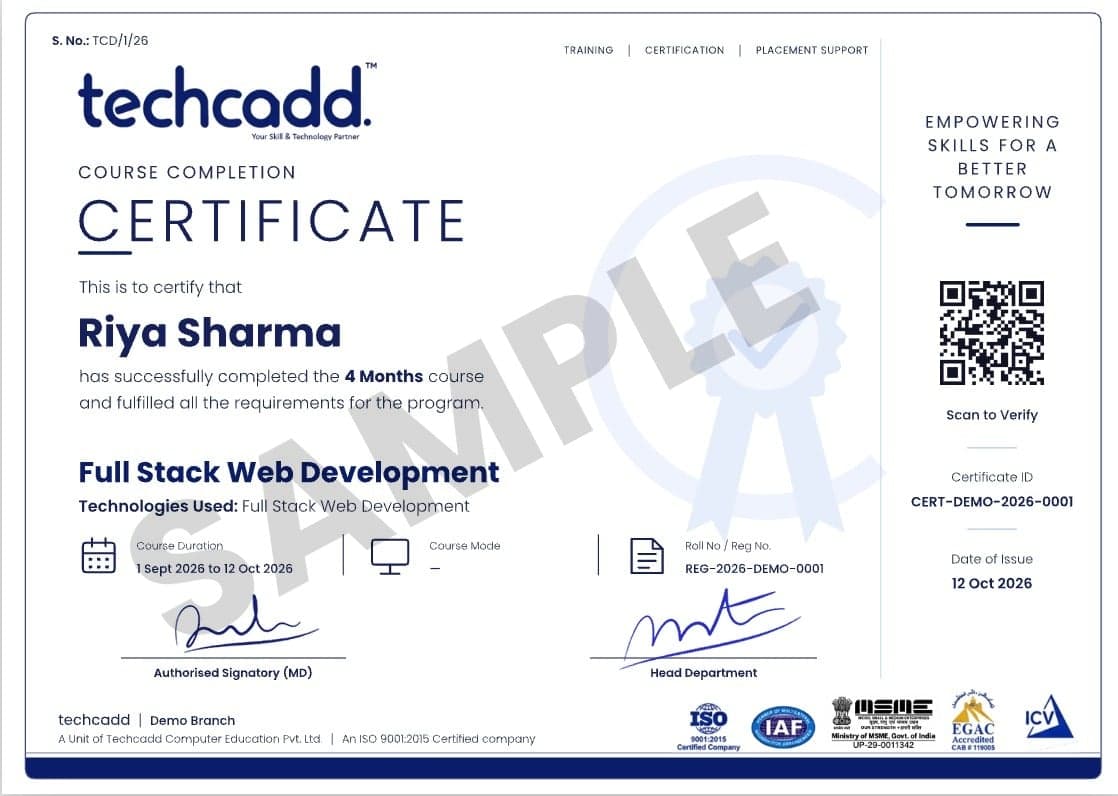
Sample TechCADD course completion certificate
Student Reviews

What Our Learners Say About the Tableau Course

  • “I was good with Excel but had no idea how to make proper dashboards. The trainer started from the basics and every concept was explained with a real example. By the end I had four dashboards in my Tableau Public profile, which gave me a lot of confidence in interviews.”

    Harpreet Singh

    B.Com graduate · Ludhiana, Punjab

  • “I work in logistics and prepare weekly reports manually. After learning LOD expressions and parameters, my reports are now interactive and my manager can filter by region himself. The live online classes were easy to attend after office hours.”

    Neha Sharma

    Working professional, operations · Gurugram, Haryana

  • “Living in Shimla, I was worried about learning something technical online. Classes were live, doubts were cleared on the same day, and the project work felt practical. I have started taking small dashboard assignments from clients now.”

    Rohit Thakur

    Freelancer · Shimla, Himachal Pradesh

  • “I was in a BPO role and wanted to move into analytics. The capstone project helped me understand the full process, from messy data to a finished dashboard. The mock interview questions at the end were also useful.”

    Simran Kaur

    MIS executive, job switcher · Mohali, Chandigarh Tricity

  • “Many of my classmates knew Power BI, so I wanted to learn Tableau to have both on my resume. The module on calculated fields and table calculations was the most helpful part for me. Batch size was small, so everyone got a chance to ask questions.”

    Aman Verma

    MBA graduate · Noida, Delhi NCR

  • “I sell handicrafts online and used to track orders in a notebook. Now I check sales by product and month in one dashboard. The trainer was patient with me because I came from a non-technical background.”

    Insha Mir

    Business owner, handicrafts e-commerce · Srinagar, Jammu & Kashmir

  • “I work in the hotel industry and wanted to understand occupancy and booking trends better. The map and date-based charts were very relevant to my work. I could also revisit the topics I missed while managing shifts.”

    Deepak Rawat

    Hospitality professional · Dehradun, Uttarakhand

  • “I had no coding knowledge and thought data analytics was not for me. Tableau's drag-and-drop style made it easy to begin, and the trainer slowly built up to advanced topics. My portfolio now has a jewellery sales dashboard that I made myself.”

    Pooja Meena

    B.Sc. graduate · Jaipur, Rajasthan

  • “I had learnt some SQL earlier, and this course helped me add the visual side. Using projects with real-looking datasets was very good. I now feel ready to apply for junior analyst positions.”

    Mohd. Faizan

    BCA graduate · Lucknow, Uttar Pradesh

  • “I joined after 12th because I wanted to start early in data. The first few classes were a little fast for me, but the trainer was supportive and gave extra practice tasks. I am now building my basics in Excel and Tableau side by side.”

    Karan Malhotra

    Recently passed 12th · Jalandhar, Punjab

  • “The course is well structured, module by module. I liked that we did not just learn charts but also data cleaning with Tableau Prep. That is something many tutorials skip.”

    Ritu Chauhan

    Postgraduate, M.Com · Karnal, Haryana

  • “I manage a retail team and needed to track stock and sales performance. After the course I built a dashboard for my store data, and our monthly review meetings became much simpler.”

    Vikas Kumar

    Working professional, retail · Meerut, Uttar Pradesh

FAQs

Frequently Asked Questions About the Tableau Course

Straight answers on eligibility, batches, certification and placements.

Still have a question?

Counsellors are available Mon – Sat: 9:00 AM – 7:00 PM.

Who can join the Tableau course?

Graduates, postgraduates, working professionals, job switchers, freelancers and business owners can join the Tableau course. No coding background is needed, and basic computer skills and comfort with numbers are enough. Knowing Excel helps, but the course starts from the fundamentals.

Is Tableau easy to learn for beginners?

Yes, Tableau is beginner-friendly because it works through a drag-and-drop interface instead of programming. Most beginners can build basic charts within the first week. Calculated fields and Level of Detail (LOD) expressions take more practice, and the course introduces them step by step.

Can 12th pass students do the Tableau course?

Yes, 12th pass students can join if they are comfortable with computers and basic maths. A graduate-level background is not required, but the course is designed mainly for career-focused learners, so younger students should be ready for project-based work.

What is covered in the Tableau course syllabus?

The syllabus covers data connection and cleaning, charts and visual analysis, calculated fields, LOD expressions, parameters, maps, dashboard design, storytelling, publishing and a capstone project. The modules run from data basics to a finished, published dashboard.

Which tools are taught in the course?

The course covers Tableau Desktop, Tableau Prep Builder and Tableau Public, with an overview of Tableau Cloud and Tableau Server. Excel, Google Sheets and basic SQL concepts are used as data sources and supporting skills.

What is the difference between Tableau and Power BI?

Tableau is known for flexible, design-focused visualisation, while Power BI integrates closely with the Microsoft ecosystem and is often cheaper for companies already using Microsoft tools. Both are widely used in analyst jobs in India. The concepts transfer, so learning Tableau makes it easier to pick up Power BI later.

Can I learn Tableau online with live classes?

Yes, you can join live online classes from anywhere in India and also attend offline at the techcadd centre. The curriculum and project work are the same in both modes, so working professionals and students from other states can pick whichever suits them.

What jobs can I get after learning Tableau?

Common roles include Data Analyst, Business Analyst, BI Analyst, Reporting Analyst, MIS Executive and Tableau Developer. Job outcomes depend on your portfolio, domain knowledge and interview skills, so the course does not guarantee a job.

What is the salary after a Tableau course in India?

Entry-level analyst roles in India often start at around ₹3 to 6 LPA, and experienced BI professionals can earn ₹8 to 15 LPA or more. These figures are approximate and vary by city, company, skills and experience.

Can I do freelancing with Tableau?

Yes, freelancers can offer dashboard design, sales and finance reporting, and data clean-up services to small businesses and agencies. Start by building a Tableau Public portfolio, then take small projects to build client reviews.

Can students from Himachal Pradesh join the Tableau course online?

Yes, learners from Shimla, Solan or any other part of the state can join live online classes without relocating. A Tableau course in Himachal Pradesh also suits freelancers and remote workers, because dashboard work can be done for clients in any city.

What are the Tableau job opportunities in Punjab and Haryana?

Tableau jobs in Punjab are mainly in Mohali's IT sector, startups and manufacturing or export firms, while Haryana offers analytics roles in Gurugram's MNCs, logistics and e-commerce companies. Roles often involve sales, supply chain and performance reporting.

Is the Tableau course useful for learners in Jammu and Kashmir and Uttarakhand?

Yes, learners in both regions can study online and apply Tableau to local sectors. In Jammu and Kashmir, tourism operators and online sellers can track bookings and orders, and in Uttarakhand, hospitality and industrial staff can track occupancy and production. Many learners also target remote analyst jobs in larger cities.

Can learners from Delhi NCR, Rajasthan and Uttar Pradesh take this course online?

Yes, live online classes are open to learners from Delhi, Noida, Jaipur, Lucknow and other cities. Delhi NCR has the widest range of fresher analyst openings, while Rajasthan and Uttar Pradesh learners often combine Tableau with local business reporting or remote work.

Start Your Tableau Journey Today

Turn Data Into Dashboards That Get You Noticed. Learn Tableau with live, project-based training and build a portfolio of interactive dashboards. Join from anywhere in India, online or at the techcadd centre in Jalandhar, and start with a free demo class.

  • Free 1:1 career counselling
  • Attend a live class before you enrol
  • Weekday, weekend & online batches
  • Placement support until you're hired
Prefer to talk? Call a counsellor+91 98881 22254

Book your free demo class

A counsellor will call you within 24 hours.

100% free · No spam · Your details stay private

Tell us your goal. We'll code it into reality.

A counsellor calls you back the same working day.